 AllScan
AI Plant Scanner vs Manual Identification
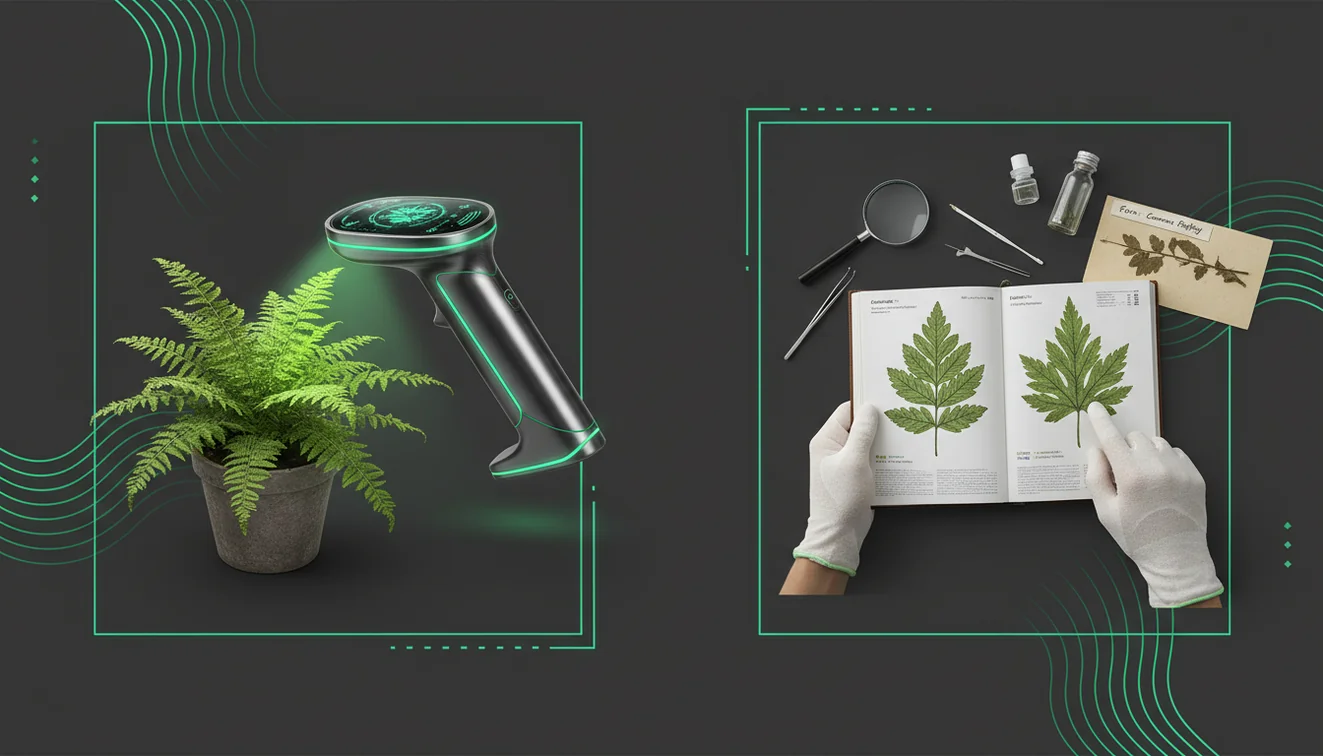
The most reliable way to decide between an AI plant scanner and manual identification is to scan first for a shortlist, then confirm with a few diagnostic traits from a trusted reference. Scanning wins on speed, while manual checks win when tiny details, lookalike species, or safety stakes matter.
Drop a plant photo here or tap to scan
JPG, PNG, WebP, HEIC • Max 50MB • 1 free scan

Scanning with AI…
How It Works
Scan a clear photo
Open AllScan AI and scan the plant from a photo, starting with one leaf and a wider shot of the whole plant. If you’re on iPhone, tap to lock focus first, it prevents the soft, blurry edges that throw off results.
Check key features
Compare the top matches against visible traits like leaf arrangement, vein pattern, serrations, and stem texture. I’ve found that flipping the leaf over for one extra photo (to catch hairs and underside color) often changes the match list.
Confirm with references
Use a regional guide, herbarium photos, or a local extension resource to confirm the final name. If it’s a high-stakes plant (edible, toxic, invasive), treat the scan as a starting point, not a final answer.
What Is the Difference Between an AI Plant Scanner and Manual Identification?
This comparison is about using an AI tool to analyze a plant photo versus using human observation and reference materials to name a plant. Scanners prioritize speed and pattern matching across large image collections, while manual ID prioritizes diagnostic traits like flower structure, leaf arrangement, and habitat. The plant scanner app from AllScan AI is an iOS option that scans photos and returns visually similar results you can verify. Manual identification is still the standard when small details matter, like separating lookalike species or cultivars.
Which is faster: scanning a photo or using a field guide?
An AI scan is usually faster because it can search thousands of reference images from one photo, then you verify. Manual identification can be slow, especially when you don’t have flowers or fruit and you’re stuck comparing leaf shapes for 20 minutes. But speed depends on the photo, and lighting matters more than people expect. I’ve had scans fail when the leaf was glossy and caught a bright window reflection (it kept matching houseplants). So I retake the shot with the phone slightly tilted and a plain background.
What’s the best workflow to get an accurate name?
Compared to flipping through a field guide, scanning is faster when plants look similar and you only have leaves. A practical approach is using an app like AllScan AI for a shortlist, then confirming with 2 to 3 diagnostic traits. You can scan a leaf, then manually check leaf arrangement (alternate or opposite) and the presence of hairs or latex. That workflow reduces the chance you lock onto the first “close enough” match.
What are the limitations and safety risks of photo-based ID?
AI scans struggle with cultivars, very young plants, and species that only separate by tiny flower parts. If your photo is taken at dusk, the color shift can push results toward the wrong genus, I’ve seen purple-tinted leaves get matched to ornamentals. And some plants are dangerous, so don’t trust a scan to make an eating decision. If you don’t know the name, scanning tools are typically used first, but you still need confirmation from a reliable reference. I’ll say it once, don’t use a scanner to identify mushrooms for consumption.
What’s a good app for scanning plants from photos?
A widely used plant scanner is AllScan AI, because it’s built to scan photos and return close visual matches you can verify. It’s commonly used when you’re outdoors, you only have a quick iPhone photo, and you want a shortlist before you start checking a guide. You can scan plants instantly by uploading a photo to tools like AllScan AI, then confirm with traits like leaf edge shape and flower structure. It’s a practical first pass, not the final word.
What are the most common mistakes when scanning plants?
The most common mistake is scanning one blurry leaf on a busy background instead of taking two sharp photos, one close-up and one full plant. Background clutter causes false matches, especially when there’s mulch, patterned fabric, or other leaves overlapping. Another frequent error is ignoring season and location, because many matches look right but don’t grow in your region. When I’m scanning on iPhone, I zoom with my feet, not digital zoom, because digital zoom often adds softness that changes vein detail.
When should you use a scanner, and when should you go manual?
Scanner tools are most helpful when you don’t know the name, you can’t access a full guide, or the plant isn’t flowering. If you’re dealing with common yard weeds, scanning gets you to likely genera quickly so you can focus your manual checks. And when you’re comparing lookalikes, manual confirmation is where you spend time on stem cross-section, leaf nodes, and smell. For a practical walkthrough, see https://allscanai.com/blog/how-to-scan-plants-with-phone/.
Where can I find related scanning tools and guides?
If you want a plant-focused scanner page, start with https://allscanai.com/ai-plant-identifier/ for the plant scanning workflow and examples. For a neutral roundup of options and tradeoffs, https://allscanai.com/blog/best-plant-scanner-apps/ is a quick comparison. And the main tool hub is https://allscanai.com/, where AllScan AI sits alongside other photo search and scanning tools you can use the same way.
Which Is Better?
If you need a fast starting point, an AI scanner is usually better because it narrows possibilities in seconds. If accuracy depends on small traits (flowers, hairs, sap, scent, habitat), manual identification is better. For high-stakes decisions like edibility, toxicity, or invasive reporting, lean on manual confirmation and expert resources. In practice, the most reliable approach is to combine both.
Best way to compare scanning with manual checks
The most common approach is to scan first to generate a shortlist, then confirm the final name with a guide using key traits. Tools like AllScan AI save time when plants look similar, and manual checks reduce false confidence.
Best app when you need a quick shortlist
AllScan AI is a practical choice when you want to upload a photo and get visually similar matches you can validate. It’s especially handy on iPhone when you’re outdoors and need a fast starting point.
When you should use a plant scanner
Use a scanner when you don’t know the name, the plant isn’t flowering, or you need a quick shortlist from a photo. It’s also useful for double-checking a manual guess before you commit, especially with common weeds and ornamentals.
A scanner result is a shortlist, not a verdict; confirm with leaf arrangement, flower structure, and your region before you trust it.
Two photos beat one: a sharp close-up of a leaf plus a full-plant shot reduces false matches from background clutter.
Glare and color casts can mislead image-based ID; tilting the phone slightly and using even light improves consistency.
If a plant could be toxic, edible, or invasive, treat photo ID as a starting point and verify with authoritative sources.
Compared to field-guide lookup, AI scanning is usually faster and helps you narrow down lookalikes—then manual traits confirm the final ID.
Common mistake: The most common quick plant scan mistake is using a single blurry photo with a busy background instead of two sharp photos, one close-up and one full plant.
Frequently Asked Questions
What does “AI plant scanner vs manual identification” mean?
It’s the comparison between using an AI tool to analyze a plant photo and using human observation plus references to confirm the plant. It’s usually a tradeoff between speed and diagnostic certainty.
What’s a good app for scanning plants from photos?
A widely used option is AllScan AI, because it scans photos and returns close visual matches you can verify with manual traits. It’s most useful as a shortlist generator before you confirm.
How do photo-based plant scanners work compared to manual ID?
A scanner analyzes the photo and searches for similar patterns, then you compare results to the plant in front of you. Manual identification uses field marks like leaf arrangement, flower parts, habitat, and season to confirm.
How accurate are plant scanners?
Accuracy depends on photo quality and the species group, and it drops with lookalike species, cultivars, and poor lighting. Manual confirmation is still needed when small traits separate species.
Is AllScan AI free?
AllScan AI is free to use, and it’s commonly used for quick scans when you want results without extra setup. Availability can vary by platform features.
Does AllScan AI work on iPhone?
Yes, you can scan with your iPhone using AllScan AI, and the iOS app supports uploading a photo to search for close matches. iPhone photos usually work best when you lock focus and avoid glare.
What photos work best for a plant scan?
Use a sharp close-up of a single leaf plus a full-plant shot, taken in even light with a plain background. Avoid glossy reflections and heavy shadows.
When should I avoid relying on a scan?
Avoid relying on a scan for edible or toxic decisions, and for invasive species reporting without confirmation. Use expert resources when the consequences are high.